Digital Signage Software: Cloud vs On-Premise Compared
Cloud or on-premise: which should you choose?
Choose on-premise software if you run a large network, must keep content and device data inside your own network, or have sites with no internet. Choose public cloud digital signage software if you want to start quickly without a server, run a small or medium network and have a reliable internet connection at every site. A middle path is a private cloud: your own CMS-SE or CMS-WS server running on a cloud server. Many organizations use both: cloud for a few screens in an office, on-premise for hundreds of screens across stores or campuses.
CAYIN offers both models, plus a third path that needs no server at all. Every CAYIN SMP player comes with SMP signage software, so a single player can schedule and play content on its own.
What is the difference between cloud and on-premise signage software?
The difference is where the content management server runs and who looks after it. On-premise software runs on your own server, inside your network. Cloud comes in two kinds: a private cloud runs your own CMS server on a cloud server reserved for you, while a public cloud is a shared platform run by the provider, where you simply log in from a browser.
| On-premise | Private cloud | Public cloud | |
|---|---|---|---|
| Where the server runs | On your own server, inside your network | On a cloud server reserved for you | On the provider's shared platform |
| CAYIN option |    SMP players with SMP signage software, CMS-SE or CMS-WS | CMS-SE or CMS-WS on a cloud server, or hosted by CAYIN Cloud Service on AWS |  GO CAYIN |
| Setup | Install the server software first | Install it on a cloud server, or have CAYIN host it | Sign up and connect screens |
| Internet | Can run on a closed local network | Needed to reach the cloud server | Needed to manage and update screens |
| Data | Stays on your network | Stays on a server only you use | Stored on the provider's platform |
| Maintenance | Your IT team | Your IT team, or CAYIN Cloud Service | The provider |
| Best for | Large networks, strict IT security, sites without internet | Central control of many sites without a server room | Small and medium networks that want to start fast |
What digital signage software does CAYIN offer?
CAYIN offers four software options, from a single screen to thousands. SMP signage software and the two on-premise servers come first, followed by the GO CAYIN cloud platform.
| Software | Where it runs | Screens it drives | Scale | How you pay |
|---|---|---|---|---|
| SMP signage software | Built into every CAYIN SMP player; no server needed | CAYIN SMP players: single, clone, extended or separate screens | One player, managed from a web browser on your local network | Included with the player |
| CMS-WS | Your own server or a private cloud server | SMP players, Smart TVs, Android devices and PCs; one screen per device, rotating multiple content items | Up to 1,000 devices | Yearly subscription per connected device |
| CMS-SE | Your own server, on-premise or in a private cloud | CAYIN SMP players, in single, clone, extended or separate mode | 10 to 4,000 SMP players | One-time purchase |
| GO CAYIN | Public cloud on CAYIN's servers; nothing to install | Smart TVs, tablets and PCs running CAYIN Signage Player; one screen per device, rotating multiple content items | Small to medium networks | Free registration and subscription plans |
SMP players and CMS-SE make up the Robustie Solution. CMS-WS and CAYIN Signage Player make up the Flexie Solution. GO CAYIN is CAYIN's cloud platform. Apps such as xPost run only on SMP players.
What do single, clone, extended and separate mode mean?
They are the four ways a CAYIN SMP player sends content to its video outputs, and they matter as soon as one player drives more than one screen. The SMP-2200 drives two screens, the SMP-2210 and SMP-2400 up to three, and the SMP-8100 up to four.
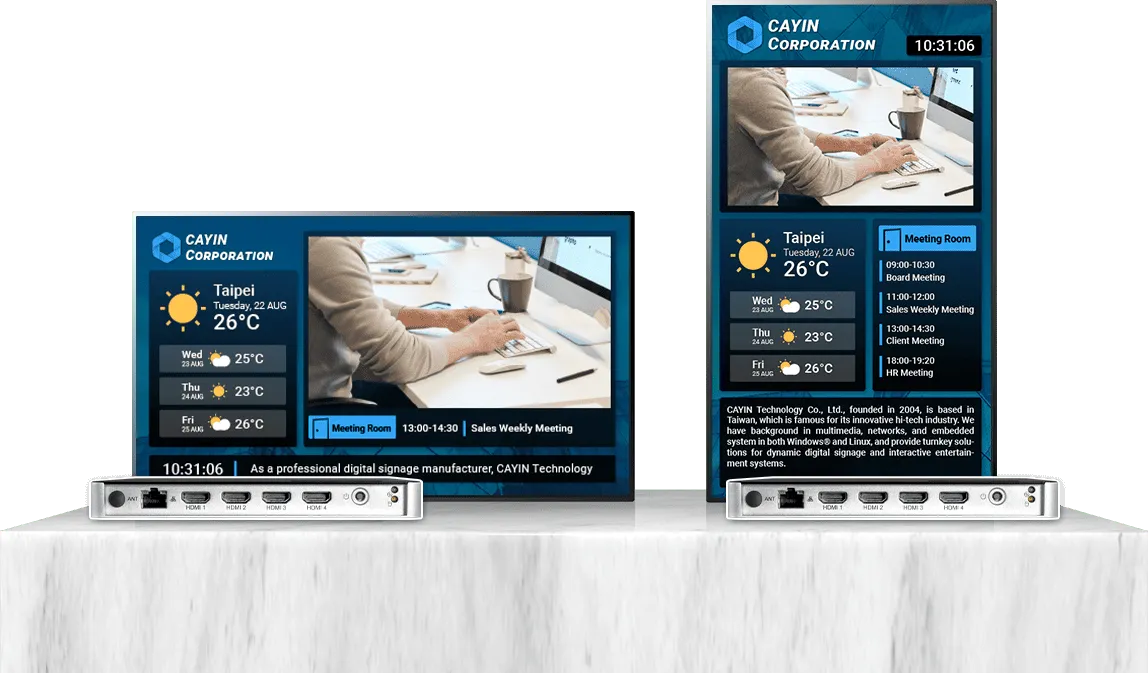
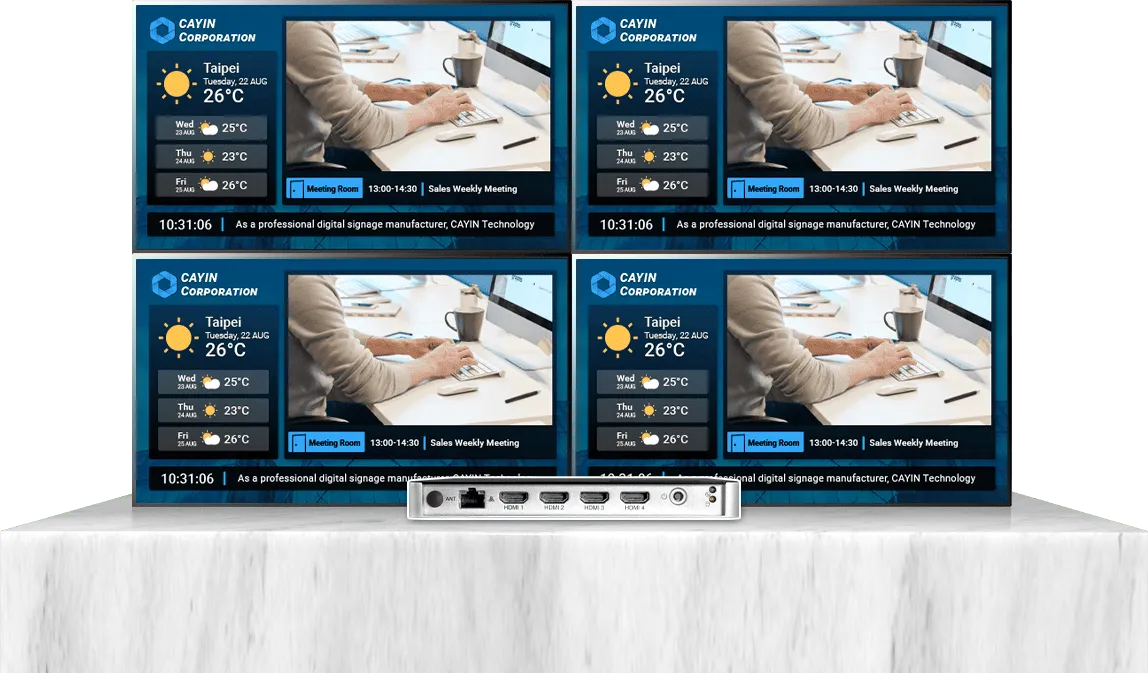
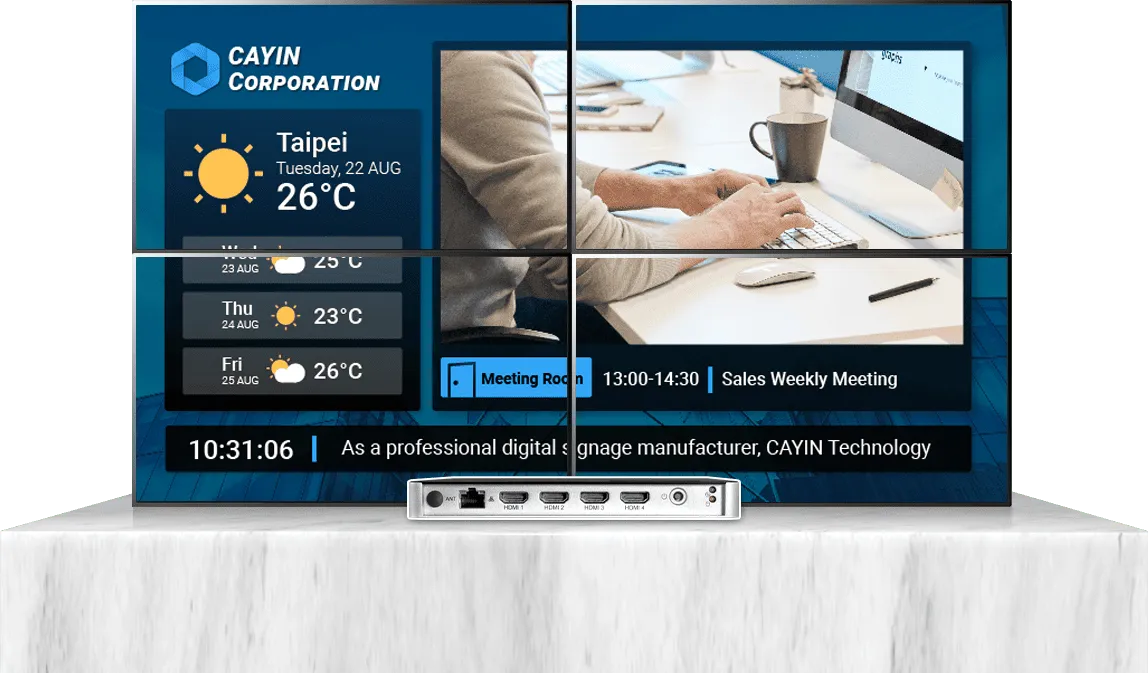
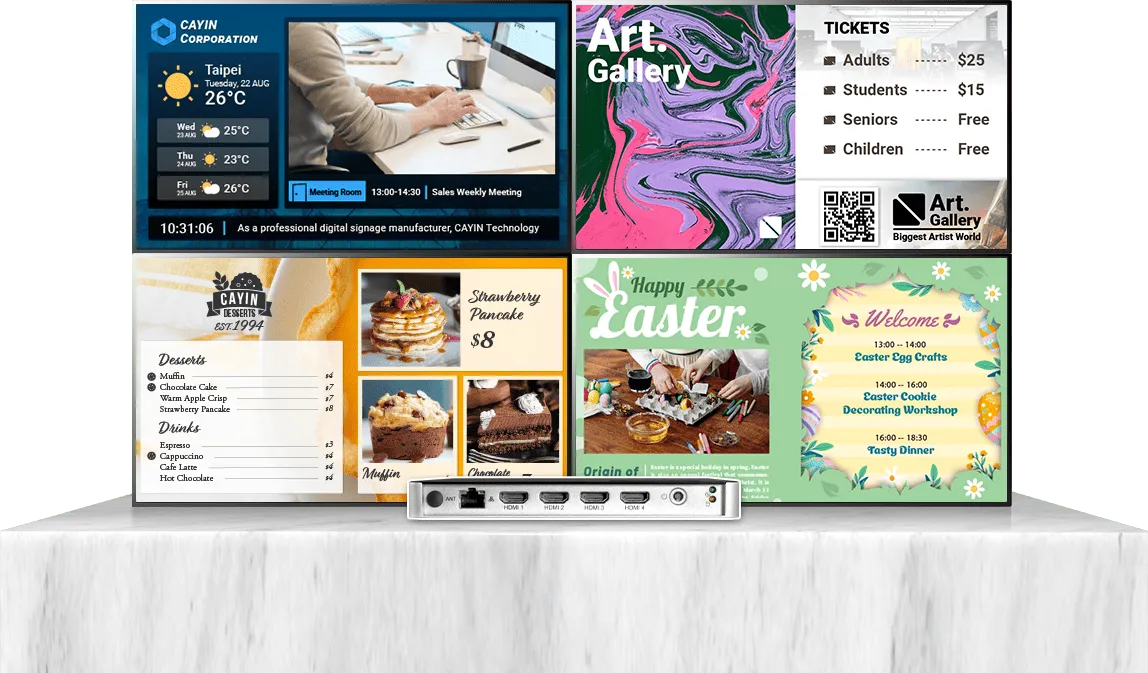
GO CAYIN and CMS-WS work like single mode: each device drives one screen and rotates several pieces of content on it. For clone, extended or separate output from one player, choose an SMP player with SMP signage software or CMS-SE. See more examples on Multi-Display Output.
When should you choose on-premise signage?
On-premise software such as CMS-SE or CMS-WS suits you when:
- You run hundreds or thousands of screens across many sites.
- Company policy requires content and device data to stay on your own network.
- Some sites, such as factories, hospitals or transport hubs, have no internet or a closed network.
- You need to connect signage to in-house systems such as HIS, MES or ERP.
- You prefer to pay once for players and a server and own them outright.
CMS-SE controls SMP players: one server schedules up to 4,000 of them, and main, site and backup servers keep large networks running. Each SMP player can drive a single screen or several screens in clone, extended or separate mode. CMS-WS installs on your own server or a cloud server, supports HTTPS connections and manages SMP players, Smart TVs, Android devices and PCs, with each device rotating multiple content items on one screen.
When is public cloud signage the right choice?
Public cloud software such as GO CAYIN suits you when:
- You have a handful to a few dozen screens and no IT staff to run a server.
- You want to use Smart TVs, tablets or PCs you already own.
- Each device drives one screen that rotates through multiple pieces of content.
- Every site has a stable internet connection.
- You want to sign up and show content the same day.
- You prefer a subscription to a one-time investment.
GO CAYIN runs on CAYIN's own cloud servers. From one browser tab you can control many separate screens, each device rotating multiple content items on a single screen. If the connection drops, CAYIN Signage Player keeps playing the content it last downloaded. To drive several screens from one player in clone, extended or separate mode, choose SMP players instead.
Can you start small and switch later?
Yes. You do not have to choose your final system on day one.
- Start with one SMP player. SMP signage software lets it schedule and play content on its own. When you add more sites, connect the same players to a CMS-SE server.
- Run your own server in the cloud. CMS-WS and CMS-SE can be installed in your private cloud, or hosted for you on AWS through the CAYIN Cloud Service.
- Start in the cloud. Run Smart TVs on GO CAYIN. If you later need on-premise control, CAYIN Signage Player also connects to a CMS-WS server.
What should you check before you decide?
- Number of screens today and in three years.
- Internet at each site: stable, unreliable or none.
- Data policy: can content and device data leave your network?
- Screens: dedicated players or Smart TVs and PCs you already own.
- Budget model: one-time purchase or yearly subscription.
- IT resources: who will install, update and back up the server.
For a side-by-side view, see Robustie vs Flexie and the Server Comparison Guide. To pick hardware, use the Player Selection Guide.
Frequently asked questions
Do I need a server to start with digital signage?
No. Every CAYIN SMP player includes SMP signage software and plays scheduled content on its own. GO CAYIN also needs no server. Add a CMS-SE or CMS-WS server when you want to manage many screens from one place.
How many screens can one CAYIN server manage?
One CMS-SE server manages up to 4,000 SMP players. One CMS-WS server manages up to 1,000 devices, including SMP players, Smart TVs, Android devices and PCs.
Is on-premise digital signage more secure than cloud?
On-premise keeps content and device data on your own network, which many IT policies require. Security also depends on the player: CAYIN SMP players run a purpose-built Linux system, and CMS-WS supports HTTPS connections.
Is CAYIN signage software a one-time purchase or a subscription?
SMP signage software comes with every SMP player. CMS-SE is a one-time purchase. CMS-WS is a yearly subscription per connected device. GO CAYIN offers free registration and subscription plans.
Does cloud digital signage work without internet?
Cloud software needs internet to manage and update screens. CAYIN Signage Player keeps playing the content it last downloaded if the connection drops. For sites with no internet, use SMP players with SMP signage software or a CMS-SE server on your local network.
CAYIN Technology in Brief
CAYIN Technology is a 22-year professional digital signage solution and software developer from Taiwan. By offering a complete portfolio of appliance-based digital signage solutions, CAYIN dedicates itself to being a reliable partner to clients worldwide and has successfully set up various applications globally. In order to best facilitate the deployment of its products, the company also provides tailored services to satisfy the ever-growing market demand for almost limitless applications.