Single Site or Small Chain
A store, school or office with up to 250 SMP players. A ready-to-use server goes into your rack and is managed from a web browser.
Recommended
CMS-60CMS-SE

Pick the answers that match your network. The recommendation updates as you go.
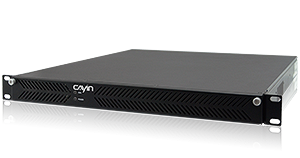
Ready-to-use 1U rack server for SMP player networks of up to 250 players.

Server software for your own hardware, from 10 to 4,000 SMP players.
Cross-platform server for SMP players, Smart TVs, Android devices and PCs.
Supports 250 players as standard. Networks of up to 1,000 players are available on request.
CMS-60 is a hardware server, not software for your own machine.
Software only. Install it on your own server.
One CMS-WS server manages up to 1,000 devices. Contact us about larger networks.
Billed as a yearly subscription per connected device.
Live HDMI streaming is available on CMS-SE and CMS-60.
Main, site and backup server roles are available on CMS-SE and CMS-60.
Pick the network closest to your project.
A store, school or office with up to 250 SMP players. A ready-to-use server goes into your rack and is managed from a web browser.
Thousands of players across regions, with main, site and backup servers keeping every branch on schedule.
Smart TVs, Android screens and PCs alongside SMP players, all managed from one cross-platform server.
Send live video from an HDMI source, such as a TV channel or a stage camera, to players across the network.
Government, factories and hospitals that keep content and data on their own network, with no public cloud.
Start small and pay a yearly fee for the devices you connect, with no large upfront purchase.
The key differences in one view. For every specification, compare the CMS servers side by side.
Large SMP networks on your own server.
A ready-to-use server for small and mid-size networks.
SMP players, Smart TVs and PCs on one server.
A quick checklist for planning your signage network.
Count the players you need today and in three years. CMS-60 manages up to 250, CMS-WS up to 1,000 and CMS-SE up to 4,000 on one server.
CMS-SE and CMS-60 manage CAYIN SMP players. CMS-WS also manages Smart TVs, Android devices and PCs running the CAYIN Signage Player.
CMS-60 arrives as a ready-to-use rack server. CMS-SE and CMS-WS install on your own server, so you can use the hardware your IT team already supports.
CMS-60 is a one-time purchase, CMS-SE is licensed by the number of players, and CMS-WS is a yearly subscription per connected device.
For many branches, CMS-SE and CMS-60 can work as main, site or backup servers, so each site keeps playing even if a link goes down.
CMS-SE and CMS-60 stream live video from an HDMI capture card. CMS-WS converts uploaded videos to HLS for smooth playback on every device.
Quick answers to the questions we hear most when customers choose a server.
Both manage CAYIN SMP players with the same CMS software. CMS-60 is a ready-to-use 1U rack server for up to 250 players, or up to 1,000 on request. CMS-SE is software you install on your own server, licensed for 10 to 4,000 players.
CMS-WS. It manages SMP players together with Android devices, Smart TVs and PCs running the CAYIN Signage Player, up to 1,000 devices from one web browser.
CMS-60 manages up to 250 SMP players, or up to 1,000 on request. CMS-SE manages up to 4,000 SMP players, depending on the license. CMS-WS manages up to 1,000 devices.
No. Each SMP player runs its own content and can be managed from a web browser. Add a server when you want to schedule content and monitor many players from one place.
Yes. CMS-60, CMS-SE and CMS-WS all run on a server you control, on premise or in your own private cloud, so your content and data stay on your own network.
CMS-60 is a one-time investment with no fees for adding players. CMS-SE is licensed by the number of SMP players. CMS-WS is a yearly subscription based on the number of connected devices.
Yes. Free trials are available from the CAYIN downloads page, including a 90 day trial of CMS-WS.
Tell us how many screens and sites you have, and we will recommend the right server and setup.