Retail and Storefront Screens
One 4K screen in a shop window or beside the counter. A compact, fanless player mounts behind the display and runs a looped schedule on its own.

Pick the answers that match your project. The recommendation updates as you go.
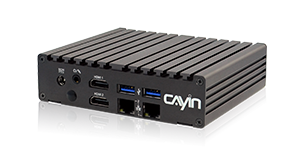
Compact, fanless 4K player for single screens and small installs.
Compact, fanless quad core player for up to three screens, with HDMI and VGA outputs.
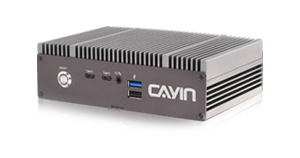
Fanless 4K player for up to three screens, with DisplayPort and 2.5GbE networking.
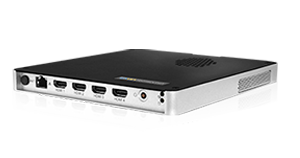
Four HDMI outputs for video walls and multiscreen displays from one player.
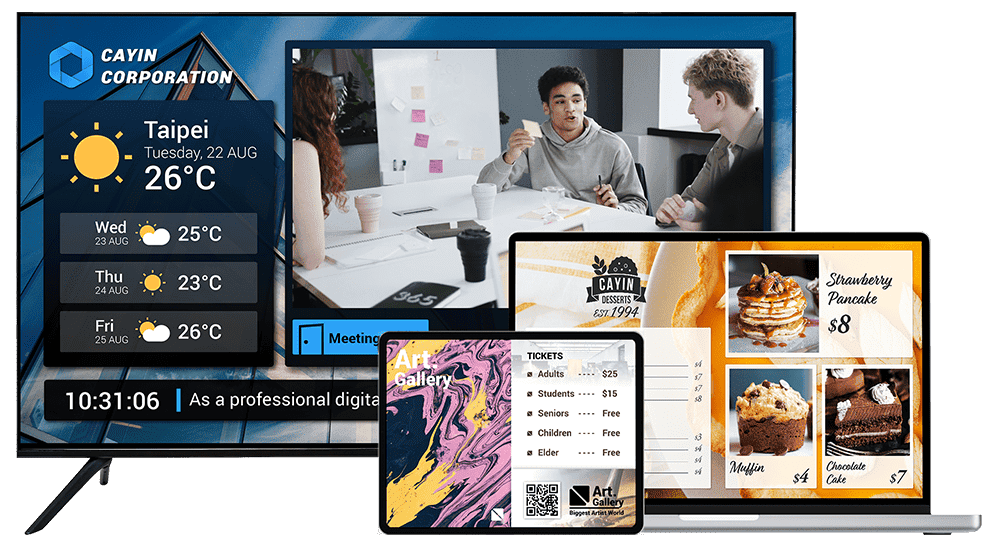
Signage software that turns the screens you already own into digital signage.
No DisplayPort output. Use an HDMI to DisplayPort adapter.
No VGA output. Use an HDMI to VGA converter.
The third screen connects through the VGA output.
Uses Gigabit networking rather than 2.5GbE.
Has one 2.5GbE LAN port rather than two.
GO CAYIN is a cloud service and needs an internet connection, so use a CMS-WS server on site.
Pick the setting closest to your project.
One 4K screen in a shop window or beside the counter. A compact, fanless player mounts behind the display and runs a looped schedule on its own.
Two to four menu screens above a counter, driven from one player so every screen changes together.
Large 4K videos in the lobby, a video wall at reception, and meetingPost+ room signs on the same network.
Build 2x2, 4x1 or 1x4 walls from one player, or walls of up to three screens in a row, for lobbies, showrooms and control rooms.
Every SMP player supports portrait screens and touch input, so choose by size and the connections your kiosk needs.
Run signage on a Smart TV with no player box. The CAYIN Signage Player also runs on tablets, Windows PCs and Chrome, managed from GO CAYIN or a CMS-WS server.
The key differences in one view. For every specification, compare the SMP players side by side.
Single 4K screens and compact installs.
Three screens from a compact player.
Two or three screens and fast networks.
Four screen video walls from one player.
Screens and devices you already own.
A quick checklist that saves a site visit later.
Count how many screens sit next to each other at one location. One player can drive one, two, three or four screens, so you may need fewer players than screens.
Check the input on the back of each screen. All SMP players have HDMI. SMP-2400 adds DisplayPort, and SMP-2200 and SMP-2210 add VGA for older screens.
Every SMP player plays 4K on one screen. When one player drives several screens, each screen runs at 1080p, which suits menu boards and video walls.
Two LAN ports on SMP-2200, SMP-2210 and SMP-8100 keep signage traffic apart from your office network. SMP-2400 offers 2.5GbE for large files. Every model has Wi-Fi.
Manage a few players one by one from a web browser. For more sites, a CMS-SE server controls up to 4,000 SMP players from one place.
SMP-2200, SMP-2210 and SMP-2400 are fanless for quiet, dusty or enclosed spaces. SMP-8100 has a slim 19 mm chassis that fits behind a video wall.
Quick answers to the questions we hear most when customers choose a player.
SMP-2200 is the compact choice for one 4K screen. Choose SMP-2400 if the screen needs a DisplayPort input or you want 2.5GbE networking for large 4K files.
SMP-8100 drives four screens from one player in 2x2, 4x1 or 1x4 layouts. SMP-2400 and SMP-2210 handle smaller walls of up to three screens in a row.
Yes. SMP-2200, SMP-2210, SMP-2400 and SMP-8100 all play 4K on one screen. When one player drives several screens, each screen runs at 1080p.
Yes. SMP-8100, SMP-2400, SMP-2210 and SMP-2200 all support built-in AI AudienceSense, which detects viewer gender, age and headcount through a connected camera and switches to matching content. Learn about AI AudienceSense >
No. Each SMP player runs its own content and can be managed from a web browser. Add a CMS-SE server when you want to manage many players from one place. One CMS-SE server manages up to 4,000 SMP players.
Yes. The CAYIN Signage Player runs on Smart TVs, tablets, Windows 10 and 11 PCs, Android 8.0 or later devices and the Chrome browser, and is managed from GO CAYIN or a CMS-WS server.
Yes. SMP players run on your local network with no internet connection. Manage them from a web browser on the LAN, or from a CMS-SE server installed on site. The CAYIN Signage Player can also run offline when it is managed by a CMS-WS server on your own network.
No. Each SMP player runs on the built in SMP software with no subscription. A CAYIN CMS server is optional.
Tell us about your screens and sites, and we will recommend the right player and setup.