Digital Menu Boards for Restaurants: Setup, Design and Cost Guide
Is a digital menu board worth it for a restaurant?
Yes, if your menu, prices or promotions change often. A digital menu board removes reprinting, shows sold-out items right away and gives you space to promote high-margin dishes. A small restaurant can start with one existing smart TV and a free cloud account.
If your menu stays the same all year and you have no promotions, a printed board may still be enough. The value of a screen comes from changing what it shows.
What does a digital menu board do better than print?
- Instant price changes: update a price once in the browser instead of reprinting boards.
- Fewer disappointed customers: mark an item as sold out before someone queues for it.
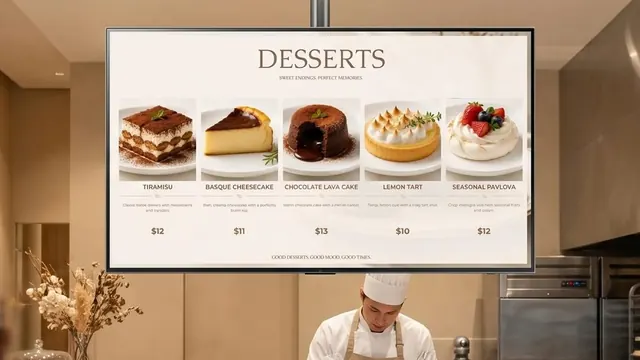
- Better promotion: give set meals, seasonal dishes and drinks a large photo or short video.
- Faster ordering: a clear menu near the queue helps customers decide before they reach the counter.
- A link to your phone channels: a QR code can open your online menu, booking page or Instagram.
What do you need to set one up?
| What you need | Notes | |
|---|---|---|
| Screen | Smart TV, commercial display or tablet | Landscape or portrait |
| Player | CAYIN Signage Player app | Android, Android TV, Google TV, Samsung Tizen, Philips TV, Windows or Chrome |
| Software | GO CAYIN account | Sign up online. The free plan needs no credit card |
| Network | Internet connection | Wired is the most stable where the router is close |
| Content | Menu template and food photos | Use your own photos where you can |
If a screen runs through long opening hours every day, check that its warranty covers that use. Commercial displays are built for it, while many home TVs are not. See the CAYIN Signage Player page for supported devices.
Where should you place the screens?
- Above or behind the counter: the main menu, readable from where customers stand to order.
- Along the queue: best sellers and set meals, so people choose while they wait.
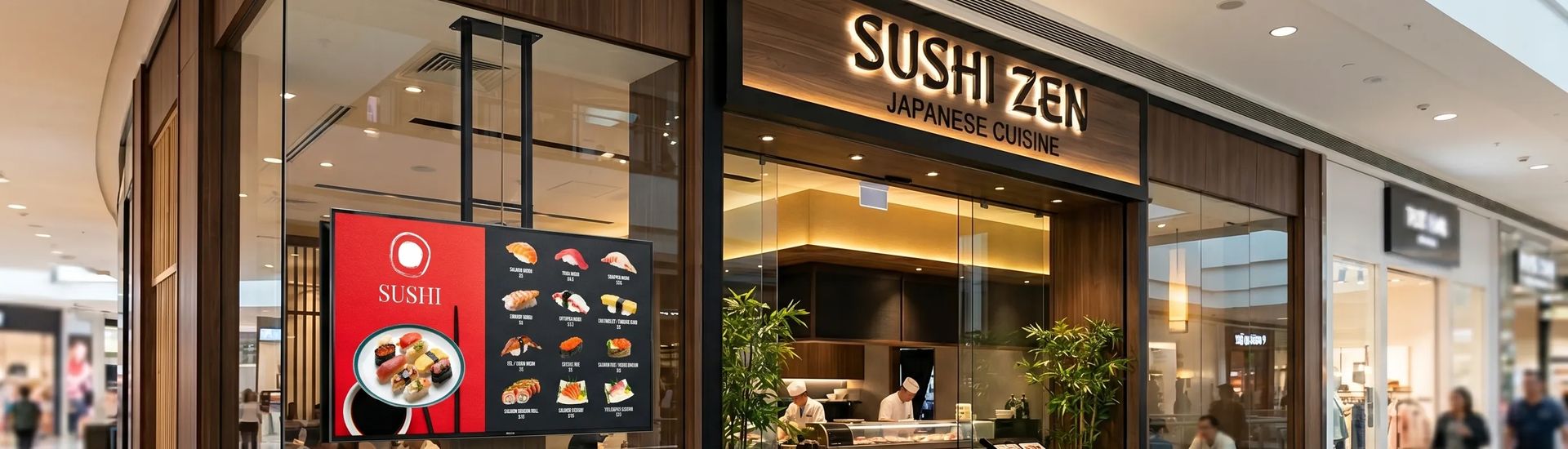
- At the entrance or window: one strong offer that draws people in. A portrait screen suits this spot.
- In the dining area: desserts, drinks, events and a QR code for reviews or membership.
Avoid direct sunlight and strong reflections, and keep screens away from grills, steam and grease. Before mounting, stand where customers stand and check that the smallest text is readable.
How do you design a menu people can read?
- Keep one job per screen. Split a long menu across two or three screens by category.
- Make names and prices large. Use high contrast, such as dark text on a light background or the reverse.
- Use a few strong photos. One large dish sells better than a page of small pictures.
- Do not animate the prices. Customers need time to read. Keep motion for a promotion area.
- Highlight what you want to sell. Put set meals and high-margin items where the eye lands first.
- Keep required information available. Follow local rules on allergens, tax and pricing.
Breakfast, lunch and dinner menus can each be a separate design, and GO CAYIN can switch them automatically on a schedule. To plan what appears at each time of day, read why digital signage scheduling matters.
How much does a restaurant digital menu board cost?
The main costs are the screens and the software subscription. GO CAYIN poster plans are as follows (prices exclude taxes):
| Basic | Professional | Professional Team | |
|---|---|---|---|
| Price | Free, permanently | USD 15/month or USD 150/year | USD 60/month or USD 600/year |
| Screens | 2 | 25 | 200 |
| Storage | 2 GB | 20 GB | 300 GB |
| Templates | 3 | All | All |
| Users | 1 | 1 | Up to 200, with member permissions |
| Auto-play on startup | – | Yes | Yes |
For a restaurant, auto-play matters: when the screen is turned on each morning, the menu starts without anyone logging in. See the GO CAYIN pricing page for current prices.
How do you launch your first menu board?
- Sign up: create a free account at GO CAYIN.
- Choose a template: filter by Restaurant, then by landscape or portrait.
- Add your menu: replace the names, prices and photos, and add a QR code if you need one.
- Install the app: download CAYIN Signage Player on each screen and connect it.
- Check it in the restaurant: read it from the customer's position, fix any small text, then go live.
If you have a queue at peak times, the GOxCALL add-on (from USD 7 per queue group per month, poster Professional or above) lets customers scan a QR code for a ticket while the number appears on your signage.
What should restaurant chains choose?
One to a few stores can usually start in the cloud. As the network grows, choose by what you need to control:
| Your need | Suitable option |
|---|---|
| Many stores, central control, playback that continues without internet | SMP players, with an optional CMS-SE server (manages up to 4,000 players) |
| Use existing smart TVs and tablets, with a server on your private cloud | CMS-WS with the CAYIN Signage Player app (up to 1,000 devices) |
| A menu wall driven by one player | SMP-2210 (up to 3 screens) or SMP-8100 (4 screens) |
| One or a few stores, no IT staff, fast start | GO CAYIN |
Plan ahead: GO CAYIN templates and content cannot be exported to SMP, CMS-SE or CMS-WS. If you expect to grow into a large chain, compare the options first in on-premise vs cloud digital signage software.
Frequently asked questions
Can I use a regular TV as a digital menu board?
Often, yes. The CAYIN Signage Player app runs on Android TV, Google TV, Samsung Tizen and Philips TVs. If your TV is not supported, connect an Android device or PC. For long daily opening hours, check that the TV's warranty covers that use.
How much does a digital menu board cost per month?
GO CAYIN has a permanent free plan for up to 2 screens. The poster Professional plan is USD 15 per month or USD 150 per year for up to 25 screens, excluding taxes. Screens are a separate cost unless you already own them.
Do I need a designer to make a digital menu?
No. GO CAYIN includes 100+ templates with a Restaurant category, in landscape and portrait. You replace the text, prices and photos in a drag-and-drop editor. The free plan includes 3 templates, and paid plans include all of them.
Can the menu change automatically for breakfast, lunch and dinner?
Yes. GO CAYIN can schedule menus to switch automatically by time of day. CAYIN SMP players can do this too, with an optional CMS-SE server for central control across large chains.
What happens to the menu if the internet goes down?
GO CAYIN does not support offline playback, so it needs a stable internet connection. If your menu must keep playing through an outage, choose on-premise SMP players.
CAYIN Technology in Brief
CAYIN Technology is a 22-year professional digital signage solution and software developer from Taiwan. By offering a complete portfolio of appliance-based digital signage solutions, CAYIN dedicates itself to being a reliable partner to clients worldwide and has successfully set up various applications globally. In order to best facilitate the deployment of its products, the company also provides tailored services to satisfy the ever-growing market demand for almost limitless applications.