Live Feed & Streaming Video Live Feed
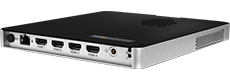
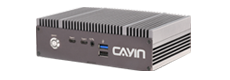
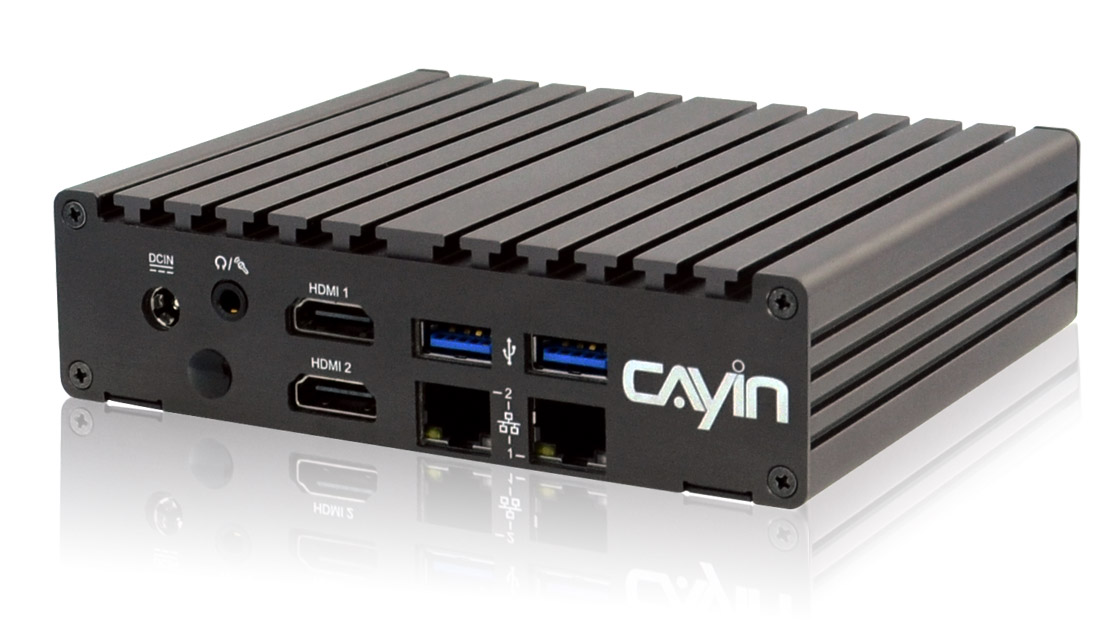
SMP-8100 SMP-2400 SMP-2200

Live Feed & Streaming Video Real-Time Data & Video for Digital Signage

Robustie Solution
Flexie Solution
Live feed digital signage showing real-time currency exchange rates in a bank lobby

Keep Every Screen Current, Automatically

Your screens update themselves. A CAYIN SMP player reads live data and video straight from your sources and networks, then puts it on screen as a web page or a live broadcast.

Nobody types a figure, swaps a slide, or reprints a sign. When the source changes, the screen changes, whether you run one site or many.

Live information runs as a full web page on the player. It pulls RSS, exchange rates, weather, prices, and other feeds from your server and shows them the moment they update.

Streaming video reaches the same player three ways, from a camera or tuner on the unit, from a stream on your LAN, or from a source across the internet. Pick the path that fits each location.

Suitable Digital Signage Players

SMP-8100, SMP-2400, SMP-2200

How Live Feed Works

Your Database RSS · rates · weather API / SDK REST · JSON · XML TV Tuner USB camera · Video In LAN on premises stream WAN stream over the internet CAYIN CMS Server optional central management CMS-SE CMS-WS SMP Player Screens The player takes web data over the network and video from a TV tuner or a CAYIN CMS server, then shows everything on screen.

Data flow: your web source connects through an API or SDK to a CAYIN SMP player, and video reaches the same player from a TV tuner on the unit, from a LAN stream over RTB or a Media Gateway, or from a WAN stream over RTB, an MMS Server, or a Media Gateway. The player renders live information and streaming video on screen.

CAYIN Digital Signage Players Keep These Screens Live

Bank lobby display showing live currency exchange rates and investment information

Banking and Finance

Exchange rates, market data, and investment updates from your feed refresh on the lobby screen as the markets move.

View Case Study >
Airport flight information display reading live from the operations schedule

Airports and Transit

Flight and platform boards read straight from the operations system, so every screen matches the live schedule.

View Case Study >
Jewellery shop screen showing festival styles beside live gold, silver, and platinum prices

Gold and Jewellery Retail

Live gold and silver prices update through the trading day, so the counter display always shows the current rate.

View Case Study >
Stadium screens showing live scores, stats, and the match feed during an event

Live Sports and Events

Scores, stats, and the match feed reach every screen in the venue and across other sites at the same time.

View Case Study >
Corporate lobby screens showing live news, company feeds, and performance dashboards

Corporate Lobbies

News, company feeds, and performance dashboards stay current with no one maintaining a slideshow.

View Case Study >
Smart bus stop screen showing live arrival times and route changes from the transit system

Smart Bus Stops

Arrival times and route changes pull from the city transit system to keep waiting passengers informed.

View Case Study >
Office tower lobby screen running building directory, event notices, and shared feeds

Office Towers

Building directories, event notices, and shared feeds run across every floor from one source.

View Case Study >
Retail brand display screen combining campaign content with a live price, offer date, and trending products

Brand and Product Displays

Campaign content and live web data combine on retail screens and update the moment marketing changes them.

View Case Study >
Factory production line display showing live output and shortfall against the daily target

Factory and Production Lines

Each line shows its live output and the units still to go, pulled from the factory system, so the floor always knows where it stands.

View Case Study >

Customer Stories

Hotel lobby and floor screens reading live room and event data from the property system
Hospitality · Malaysia

Four Points by Sheraton keeps lobby and floor screens on the live schedule

Room availability, rates, and event schedules read straight from the property management system, so front of house screens stay current with no staff updates.

Read the full case study ›
Office screens showing live sales rankings and revenue targets from the ERP
Corporate · Mexico

Muñoz Corporativo puts live sales numbers on the office wall

Sales rankings, revenue targets, and stock levels come from the ERP and refresh on screen through the day, keeping every team on the same numbers.

Read the full case study ›
Campus screens publishing live class schedules and notices from the school system
Education · Taiwan

National Taipei University publishes class schedules to every building

Class schedules, announcements, and campus notices publish from the school information system to displays across every building, with no slideshow to maintain.

Read the full case study ›
Warehouse floor screen showing live order and dispatch status from the logistics system
Healthcare Logistics · Taiwan

Singleton Pharma Logistics shows live dispatch status on the warehouse floor

Order and dispatch data from the logistics system updates on the warehouse floor, so staff track shipment status in real time.

Read the full case study ›

Manage Every Screen from One Server

Every SMP player pulls its own live data and video without a server. Add a CAYIN CMS server when you run many screens and want one place to manage feeds, playlists, and streaming sources across sites. Start with the players, then bring in a server when central control helps.

CMS-SE

CMS-SE

Robustie Solution

Content management software you install on your own server, keeping content and data feeds inside your network.

Learn More >
CMS-WS

CMS-WS

Flexie Solution

Cloud content management server with no hardware to run. Manage players and live data feeds from anywhere.

Learn More >

Frequently Asked Questions

What kinds of live data can an SMP player show?

Anything your web server can serve. Common feeds are RSS, exchange and metal rates, stock prices, weather, and news tickers. The player reads the feed and renders it as part of the page.

Which players support live feed and streaming video?

The SMP-8100, SMP-2400, and SMP-2200 run HTML5, CSS3, and JavaScript for live web data and receive streaming video over LAN, WAN, or their own video input.

Do I need to write code to pull live data onto a screen?

For a standard web feed, no. For a custom data source, a short template or a system integrator connects it through the source API or SDK.

Where can streaming video come from?

From a local video input on the player such as a USB camera or a TV tuner, from a LAN source over RTB or a Media Gateway, or from a WAN source over the internet.

What is RTB?

Real Time Broadcast. A CAYIN CMS server pushes one live video stream to every connected SMP player at once, which suits stage events, lectures, and multi site broadcasts.

How current is the on screen data?

You set the refresh interval, from a scheduled pull to a live update the moment the source changes.

What happens if the network goes down?

The player keeps showing its last content or a fallback playlist, so the screen never goes blank.

Can I run this across many sites?

Yes. Each player pulls its own feeds, and a CAYIN CMS server adds central control of content, scheduling, and sources across locations.

Related Resources & Whitepapers

Frequently Asked Questions

Find answers to common questions by product or topic.

Technical Support Request

Need technical support? Fill out the request form.
Online Help

Online Help & Manuals

User manuals and setup guides for CAYIN products.

Digital Signage Brochure

Discover CAYIN’s latest digital signage products. Download >

Not Sure Which to Choose?

We help you plan the right digital signage solution. Send us an inquiry >