Location Based Digital Signage Location Based
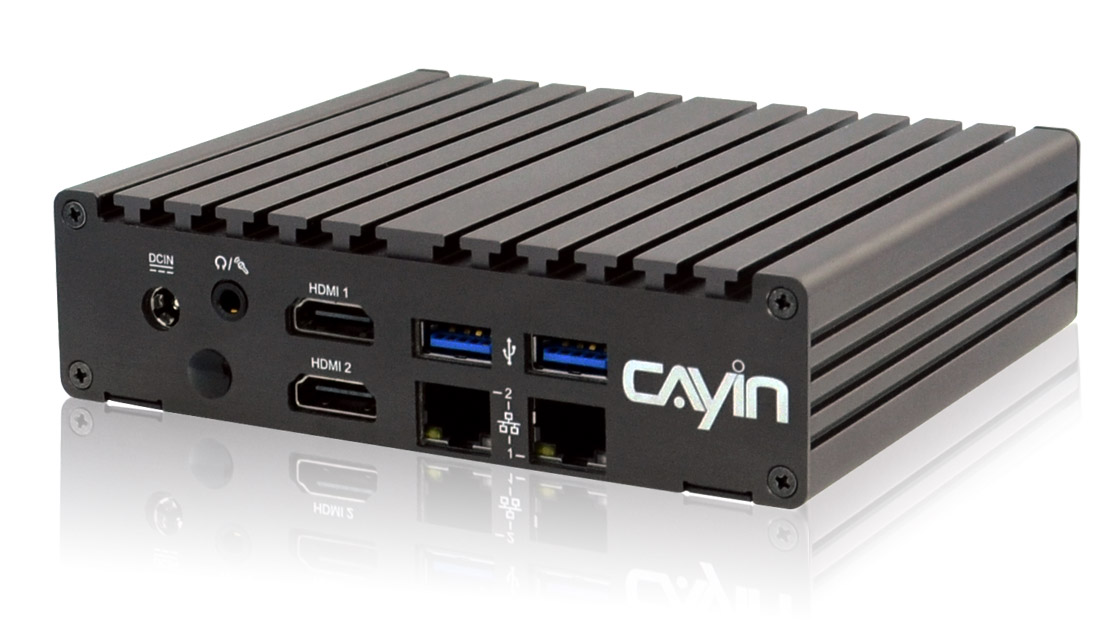
SMP-8100 SMP-2400 SMP-2200

Location Based Digital Signage GSM, GPS, and Google Maps Built into the Signage

Robustie Solution
Flexie Solution
Location based digital signage on a bus showing content for the current neighbourhood

Every Screen Plays What Fits Where It Is

A CAYIN SMP player reads its own position from GPS and the mobile network, then plays the content that matches where the screen is right now.

  • A bus screen shows the shops on this block, a shuttle shows the next stop, a rental display plays the right loop the moment it powers on.
  • Every playlist stays on board and switches by location, so the screen keeps working where the mobile signal drops.
  • Add a live feed over the network when you want fresh content on the move.
  • A CAYIN CMS server plots every player on Google Maps, so you see where each screen is and whether it is playing.

Suitable Digital Signage Players

SMP-8100, SMP-2400, SMP-2200

How Location Based Signage Works

Satellite location signal GPS Receiver on the player USB CAYIN CMS Server Google Maps console CMS-SE CMS-WS every player on the map LAN or WAN network path Mobile Network GSM 3G · 4G USB Camera live view of the road SMP Player on-board playlists location rules Display A GPS receiver feeds the player its location over USB, the player shows the content that fits, and a CAYIN CMS server monitors every screen on Google Maps.

Data flow: a CAYIN SMP player reads its position from GPS and the GSM mobile network, then plays the on-board playlist set for that location and shows it on screen. A USB camera can add a live view of the road. A CAYIN CMS server plots every player on a Google Maps console so administrators can monitor location and playback status.

See Location Based Signage in Action

Where Location Based Signage Fits

City bus screen showing content for the neighbourhood on the current stretch of the route

City Buses

Screens change with the route, showing the shops, stops, and offers along each stretch of the line.

View Case Study >
Rail carriage screen updating the next stop and transfer information as the train moves

Metro and Rail

Next stop, transfer lines, and platform notices update as the train moves along the line.

View Case Study >
Onboard ferry screen switching between arrival, retail, and safety content by leg of the trip

Ferry and Shuttle Lines

Onboard screens switch between arrival, retail, and safety content by leg of the journey.

View Case Study >
Fixed screen at a bus transfer station pulling the timetable and local content for that stop

Bus and Transfer Stations

Fixed screens at each stop pull the timetable and the local content set for that location.

View Case Study >
Depot map view placing every fleet vehicle screen on Google Maps

Fleet and Plant Vehicles

Every vehicle screen sits on Google Maps, so the depot sees where each one is and what it is playing.

View Case Study >
Rental display at an event playing the right venue loop the moment it powers on

Event and Exhibition Rentals

Players carry every venue playlist and pick the right one on power up, with no setup on site.

View Case Study >

Customer Stories

Bucharest public transport screens showing route based passenger information
Public Transport · Romania

Bucharest public transport keeps passenger screens on the route

CAYIN players on the network show the information that fits each part of the route, so riders see what is relevant to where the bus is.

Read the full case study ›
Southern Railway platform and carriage screens
Rail · India

Southern Railway runs travel information across stations and trains

Screens carry schedules, notices, and travel content for passengers on the platform and on the move.

Read the full case study ›
Tallink Star shuttle onboard screens
Ferry Line · Finland

Tallink Star shuttle plays the right onboard content for each crossing

Screens on the shuttle move between arrival, shopping, and service content through the trip.

Read the full case study ›
Balfour Beatty plant and fleet vehicle displays
Fleet Services · United Kingdom

Balfour Beatty tracks plant and fleet screens on the map

Administrators see every vehicle player on Google Maps and check location and playback from one console.

Read the full case study ›

Manage Every Screen from One Server

Each SMP player carries its own playlists and location rules, so it runs without a server. Add a CAYIN CMS server when you run a fleet or many sites and want one place to update content and watch every screen on Google Maps.

CMS-SE

CMS-SE

Robustie Solution

Content management software you install on your own server, keeping content and vehicle data inside your network.

Learn More >
CMS-WS

CMS-WS

Flexie Solution

Cloud content management server with no hardware to run. Manage players and watch the Google Maps view from anywhere.

Learn More >

Frequently Asked Questions

How does the player know where it is?

A GPS receiver on the player reads the satellite signal and reports the position. The mobile network fills in when the GPS fix is weak, for example inside a tunnel or a covered station.

Which players support GPS and mobile network signage?

The SMP-8100, SMP-2400, and SMP-2200 work with a GPS receiver over USB and a mobile data connection, so they can run location based playback on the move.

What happens when the mobile signal drops?

The player keeps every playlist on board and switches by location on its own, so the screen carries on. It syncs new content the next time it has a connection.

Do I need a SIM card and a data plan?

Yes for content updates and live monitoring on the move. Location based playback from on-board content works from the GPS signal alone.

Is Google Maps built in or an add on?

The map view is part of the CAYIN CMS server console. Administrators open it to see every player on the map with its location and playback status.

How do I set content for each location?

You draw the areas on the map or enter coordinates, then assign a playlist to each area. The player plays the matching playlist when it enters that area.

Can I show a live view of the road?

Yes. Connect a UVC compatible USB camera or an S-Video source to the player and place that input in the layout alongside the location based content.

How does this work for short term rentals?

Store every venue playlist on the player in advance and set each one to a location. On site the installer powers the player on and it plays the right loop with no further setup.

Related Resources & Whitepapers

Frequently Asked Questions

Find answers to common questions by product or topic.

Technical Support Request

Need technical support? Fill out the request form.
Online Help

Online Help & Manuals

User manuals and setup guides for CAYIN products.

Digital Signage Brochure

Discover CAYIN’s latest digital signage products. Download >

Not Sure Which to Choose?

We help you plan the right digital signage solution. Send us an inquiry >