Compare SMP Digital Signage Players See what sets each SMP player apart

Select up to 3 products to compare
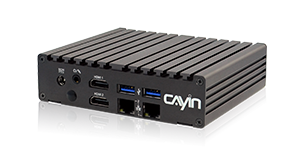
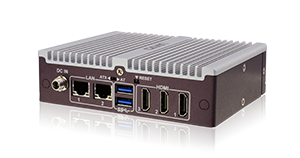
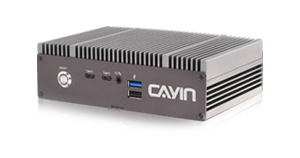
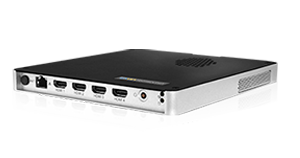
The CAYIN SMP range is six digital signage players on the same SMP software. They differ in video outputs, processor, networking, and video wall support, so the right pick depends on how many screens you drive and what you play.
Quick answer. For a four screen video wall from one player choose SMP-8100. For a single 4K screen on the newest hardware choose SMP-2400. For a compact entry player choose SMP-2200.
Digital signage network with a client server structure
How to choose an SMP Player
- Count your screens. One screen fits any model. A four screen video wall from one player needs SMP-8100.
- Check the outputs. SMP-2200 and SMP-2210 are the only models with VGA. SMP-2400 is the only one with DisplayPort. HDMI count runs from two on SMP-2200, SMP-2210 and SMP-2400 to four on SMP-8100.
- Match the processor to your content. Heavier 4K layouts and more video zones favour SMP-2400 and SMP-8100.
- Plan the network. SMP-2400 has one 2.5GbE port. SMP-2200, SMP-2210 and SMP-8100 have two Gigabit ports, so signage traffic can stay apart from the office network.
- Every model supports GPS, mobile network signage, touch input, and portrait display, so location and orientation are not deciding factors.
How many screens each player drives
Every model plays one screen at full 4K. The number shown is the most 1080p screens or zones the player drives at once. Only SMP-8100 arranges four as a 2x2 video wall.
Full SMP Comparison
| Model | SMP-2200 | SMP-2210 | SMP-2300 | SMP-2310 | SMP-2400 | SMP-8100 |
|---|---|---|---|---|---|---|
| Software | SMP | SMP | SMP | SMP | SMP | SMP |
| Processor | Apollo Lake · dual core | Apollo Lake · quad core | Apollo Lake · dual core | Apollo Lake · quad core | Elkhart Lake · quad core | AMD V1605B · quad core |
| 4K output | ✓ | ✓ | ✓ | ✓ | ✓ | ✓ |
| Max 1080p zones | 2 | 3 | 2 | 3 | 4 | 4 |
| Video wall | 1×2 | 3×1 | 1×2 | 3×1 | 3×1 | 2×2 |
| HDMI outputs | 2 | 2 | 3 | 3 | 2 | 4 |
| VGA | ✓ | ✓ | — | — | — | — |
| DisplayPort | — | — | — | — | 1 | — |
| LAN ports | 2 | 2 | 2 | 2 | 1 | 2 |
| Network | 2× 1 GbE | 2× 1 GbE | 1 GbE | 1 GbE | 2.5 GbE | 2× 1 GbE |
| Cooling | fanless | fanless | fanless | fanless | fanless | fan |
| GPS and mobile network | ✓ | ✓ | ✓ | ✓ | ✓ | ✓ |
| Touch and portrait | ✓ | ✓ | ✓ | ✓ | ✓ | ✓ |
Frequently Asked Questions
Which SMP player is best for a video wall?
SMP-8100 drives a four screen video wall from one unit, with layouts up to 2x2. SMP-2400 handles smaller walls up to three screens in a row.
What is the difference between SMP-2200 and SMP-2400?
SMP-2200 is the compact entry player with VGA and two HDMI outputs on a dual core processor. SMP-2400 has a quad core processor, HDMI and DisplayPort, 2.5GbE networking, and drives up to four 1080p zones.
What is the difference between SMP-2200 and SMP-2210?
Both share the same compact chassis with two HDMI outputs, one VGA output and two LAN ports. SMP-2200 has a dual core processor and drives two displays. SMP-2210 has a quad core processor and drives three displays at once.
Which SMP players support 4K playback?
Every current SMP player plays 4K. SMP-2200 outputs one 4K screen. SMP-2400 and SMP-8100 output one 4K screen or up to four 1080p zones.
Which SMP players have GPS and mobile network support?
Every current SMP player works with a GPS receiver and a mobile data connection for location based signage.
Do CAYIN SMP players need a subscription?
No. Each SMP player runs its own content on the built in SMP software. A CAYIN CMS server is optional for managing many players from one place.
Which SMP player fits portrait screens?
Every SMP player supports portrait display and touch input, so any model works for portrait kiosks and wayfinding.
Select up to 3 products to compare